
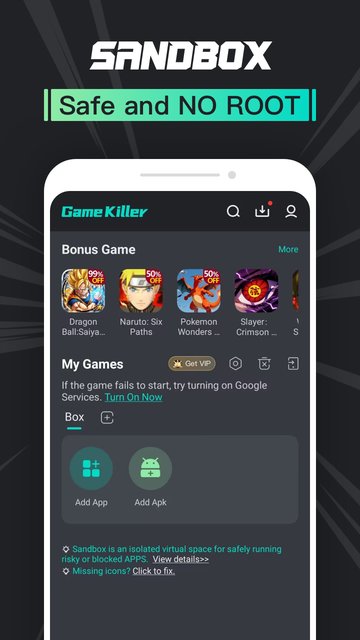
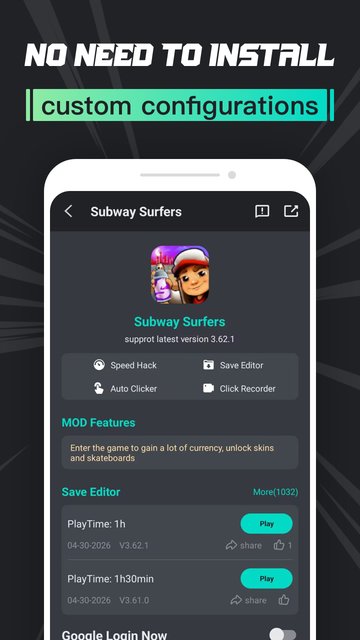

Mobile games are designed to keep players engaged through challenging levels, limited resources and rewards that often require considerable playing time. While some players enjoy progressing through every stage naturally, others look for tools that can change certain aspects of gameplay. The Game Killer App is associated with this second approach, offering features intended to modify values within supported Android games.
Before installing an application like this, it is worth understanding what it does, how its features are commonly used and why it may not work with every mobile game. Compatibility, device security and the possibility of losing game progress are all factors worth considering.
Understanding the Purpose of the Game Killer App
The Game Killer App is commonly associated with Android game modification. Its primary purpose is to let users search for and change certain numerical values stored in a game’s running memory. Depending on the game and the device, these values may represent coins, points, health or other in-game resources.
For instance, imagine playing an offline game where collecting coins allows you to purchase additional equipment. A memory-editing tool may attempt to locate the numerical value representing those coins and change it. However, this does not mean every game can be modified successfully. Modern games often use additional security measures that prevent external tools from changing important gameplay information.
The application is generally discussed in connection with Android devices rather than standard iOS gameplay. Its actual functionality depends on the Android version, device configuration and the security protections used by the target game.
Features Commonly Associated With Game Killer
The appeal of this type of utility comes from its ability to interact with certain game values. However, individual features may behave differently depending on the application version and supported environment.
Searching for In-Game Values
One of the commonly associated functions is searching for numerical values. Users may enter a known number, such as their current coin balance, and allow the tool to search for matching information in the game’s memory.
If several results appear, additional searches may help narrow them down after the value changes during gameplay. This approach is more technical than simply selecting an option from a menu.
Modifying Supported Values
Once a potentially relevant memory address has been identified, the tool may allow users to change its numerical value. This could affect certain resources in compatible offline games.
However, changing a displayed number does not always change the actual game state. Some applications calculate resources independently or restore their original values when the game refreshes.
Working With Different Game Types
Not all mobile games use the same technical structure. A simple offline puzzle game may handle its resources differently from a large online multiplayer title. Consequently, a technique that works in one game might have no effect on another.
This limitation makes game compatibility one of the most important considerations before using a memory-editing application.
How Does Game Memory Editing Work?
Game memory editing involves examining information that an application temporarily stores while running. This information can include numerical values used by different gameplay systems.
A typical memory-editing process involves three general stages:
- Identifying a value: The user looks for a numerical value currently visible in the game, such as a score or resource balance.
- Narrowing the results: After the value changes, another search can help identify which memory locations may correspond to it.
- Attempting a modification: A selected value may be changed, provided the application allows access and the game does not prevent the modification.
This explanation describes the general principle rather than guaranteeing that the Game Killer App can modify a particular title. Some games store important information on remote servers, making local changes ineffective.
Is Game Killer Compatible With Every Android Game?
No. Compatibility depends on how a game is developed and where its important information is stored.
Offline games may offer more opportunities for local memory modification because certain gameplay values are calculated directly on the device. Online games are different. Their servers may control currency, player rankings, inventory and progression. Even if a number changes temporarily on the screen, the server can reject it or restore the original information.
Other technical factors can also affect compatibility:
- Android version: Changes to operating system security can affect how applications access running processes.
- Device permissions: Certain memory-related operations may require elevated access that ordinary applications do not receive.
- Game protection: Anti-cheat systems can detect unexpected modifications or block external tools.
- Application updates: A game update may change its memory structure and make previously identified values unusable.
Therefore, users should not assume that an older compatibility claim still applies to a current game version. You can also download the YouTube Pro APK.
Security and Privacy Considerations Before Installation
An application that requests unusual permissions deserves careful attention, particularly when it comes from outside an official app store. Unofficial download websites may distribute modified installation packages that contain unwanted software or request permissions unrelated to their advertised purpose.
Before installing any Game Killer App APK, consider the following precautions:
- Download applications only from sources you can verify.
- Check the developer information and available version details.
- Review requested permissions before granting access.
- Scan downloaded installation files using a reputable security solution.
- Avoid providing account passwords or personal information to third-party applications.
- Keep Android security updates enabled.
Rooting an Android device simply to use a game-modification utility also deserves consideration. Root access can weaken important security protections and may affect banking applications, device warranties or other installed software. The consequences vary by manufacturer and device.
Can Using Game Killer Affect Your Game Account?
Yes, depending on the game and its terms of service. Many online games prohibit external modification tools, unauthorized software and attempts to manipulate competitive gameplay. Using such utilities may result in warnings, temporary restrictions or permanent account suspension.
There is also a difference between experimenting with an offline game and modifying a multiplayer environment. In competitive games, altered resources or gameplay advantages can affect other players, making developers more likely to enforce anti-cheat policies.
Before making changes, review the game’s official rules. If your account contains valuable purchases or years of progress, the possibility of losing access may outweigh the convenience of modifying gameplay.
Game Killer App vs Traditional Gameplay
Traditional gameplay allows users to collect resources, complete missions and develop their characters through the progression system designed by the developer. This approach usually preserves the intended difficulty and keeps the game within its supported operating conditions.
A memory-editing utility takes a different approach. It attempts to change selected values rather than following the normal progression system. Although this may sound appealing for experimentation, it introduces technical and account-related risks.
Players who simply want faster progression may find that official bonus events, daily rewards, beginner promotions and in-game achievements provide a safer alternative. These options also avoid the compatibility problems associated with unofficial modification tools.